Pool Cleaner Keeps Flipping Over? Causes and Fixes
If your pool cleaner keeps flipping over, check the hose for tangles, confirm the correct water flow, and inspect the cleaner for trapped debris. Follow its manual before changing settings or removing parts.
On this page (7 sections)
- Why does a pool cleaner keep flipping over?
- Could water flow be causing a suction cleaner to flip?
- What should you check on a pressure-side cleaner?
- What if a robotic cleaner turns over?
- Can cleaner balance or pool features cause repeated flips?
- When should you stop and contact the maker?
- How can you prevent a pool cleaner from flipping again?
If your pool cleaner keeps flipping over, check for a twisted hose, incorrect flow, or debris caught in an accessible part. The cause depends on whether you have a suction-side, pressure-side, or robotic cleaner, so use its manual before making adjustments.
First switch the cleaner off as its instructions direct. Look for a hose loop, a snag, or a visible obstruction, and check that the cleaner is assembled as shown in the manual.
Why does a pool cleaner keep flipping over?
A twisted or poorly routed hose is a common thing to check first. Hose tension can pull a cleaner off balance or keep it from moving freely.
Straighten any loops and make sure the hose can reach the areas it needs to clean without catching on steps, fittings, or other pool features. Don't force a connection or trim the hose unless the manufacturer instructs you to.
If the hose looks clear, check the cleaner itself for leaves or other debris around accessible openings and moving parts. Follow the manual for safe cleaning, and don't take the unit apart to reach a blockage.
A cleaner that also stops moving may have a different or related issue. See why a pool cleaner may not be moving for other checks.
Could water flow be causing a suction cleaner to flip?
Yes, flow that doesn't match the cleaner's requirements can affect how a suction-side cleaner moves. Check the manual for the correct setup and any approved way to adjust flow.
A suction cleaner connects to a skimmer or dedicated suction line, and its behavior can depend on the pool's pump and plumbing. Don't turn valves or change pump settings by guesswork; ask a pool professional if you can't tell whether the flow is correct.
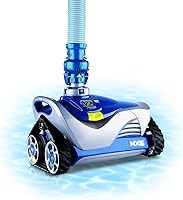
The Zodiac G3 is a suction-side cleaner that connects to a skimmer or dedicated suction line and is compatible with low-flow and variable-speed pumps. Its manual should guide setup and troubleshooting for your pool.
Learn how the different systems work in our guide to automatic pool cleaners, then compare suction-side cleaners for inground pools if you're shopping for another model.
What should you check on a pressure-side cleaner?
Check the feed hose, visible debris, and setup against the cleaner's manual. A pressure-side cleaner uses a different connection and power arrangement from a suction-side model, so suction adjustments may not apply.
Make sure the cleaner's hose isn't tangled or caught, and empty or inspect its debris bag as instructed. If it keeps turning over after these basic checks, stop and use the maker's troubleshooting steps.
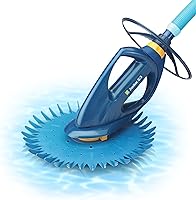
The Polaris Vac-Sweep 380 is a pressure-side cleaner with a 31 ft feed hose and a single-chamber filter bag. Those features may suit a pool where a pressure-side setup is already in place.
For background on the equipment that powers some pressure-side systems, see what a pool booster pump does. Don't attempt wiring or pump repairs based on a cleaner symptom alone.
What if a robotic cleaner turns over?
Use the robotic cleaner's manual for its power, placement, and troubleshooting steps. Its movement system differs from hose-connected cleaners, so checking suction flow won't diagnose it.
Turn it off and inspect only the areas the manual says you can access. Remove visible debris as directed, check that any accessible cable is not tangled, and contact the maker if the cleaner continues to turn over.
A cleaner's turning pattern can vary by model and pool shape. If you are considering a robotic option instead, compare robotic, suction, and pressure cleaners to see how their setups differ.
Can cleaner balance or pool features cause repeated flips?
A snag or uneven pull can make a cleaner tip or turn in an unusual way. Check whether it flips near a drain, light, step, or wall feature, and look for a hose that catches at that point.
Don't remove or alter pool fittings to make a cleaner work. Follow the cleaner and pool instructions, especially around lights and drains.
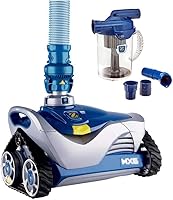
The Hayward Poolvergnuegen 4-Wheel uses tire treads for obstacle maneuverability and has internal steering sequences that periodically change direction. It's one suction-side option to compare if you need a replacement and your pool setup is compatible.
If flipping happens at the same spot every cycle, note the location and share it with the manufacturer or a pool service professional. That detail can help narrow down whether the hose route, an obstacle, or the pool layout is involved.
When should you stop and contact the maker?
Stop troubleshooting and contact the cleaner's maker if it keeps flipping after basic checks or has damaged parts. Also stop if the unit is trapped, makes an unusual noise, or the manual says the behavior needs service.
Have the model name, cleaner type, and a short description of when it flips ready. Mention whether it happens everywhere or only near one pool feature, and what checks you already made.
Avoid opening sealed sections, replacing parts without guidance, or changing electrical or plumbing connections. Use the manual or the maker's support channel for model-specific instructions.
How can you prevent a pool cleaner from flipping again?
Keep the hose untangled, clear accessible debris, and follow the model's setup and flow guidance. A quick check before each cleaning cycle can catch a loop or snag early.
Store and clean the unit as its manual directs. For routine run times, see how often to run a pool vacuum.
If the cleaner still flips, choose the next step based on its type: check hose and flow guidance for suction models, the feed hose and bag for pressure models, or the maker's troubleshooting instructions for robots. That keeps the fix tied to the equipment you actually have.
Frequently asked questions
Why does my pool cleaner keep flipping over?
A cleaner may flip when its hose twists or pulls at an angle, water flow is outside the range its manual calls for, or debris blocks a moving part. The cause depends on the cleaner type.
Turn it off as directed, check the hose and accessible debris, and consult the maker's troubleshooting steps.
Can too much suction make a pool cleaner flip?
It can be a possible cause for some suction-side cleaners, but the right flow depends on the model and pool setup. Check the cleaner's manual for its recommended flow and adjustment method.
Don't guess at valves or pump settings if you can't confirm what the manual allows.
Should I keep running a pool cleaner that flips over?
Stop the cleaner if it repeatedly turns over, becomes trapped, or moves in a way its manual says is abnormal. Continued operation may leave the pool uncovered and can put strain on the hose or cleaner.
Check for simple obstructions, then follow the maker's troubleshooting guidance.
Do all pool cleaner types flip over for the same reason?
No. A suction-side cleaner depends on hose movement and suction flow, a pressure-side cleaner uses a feed hose and water pressure, and a robotic cleaner has its own power and movement system.
Identify the type first, then use that model's manual rather than applying another type's fixes.